Your next audience.
Closer than you think.
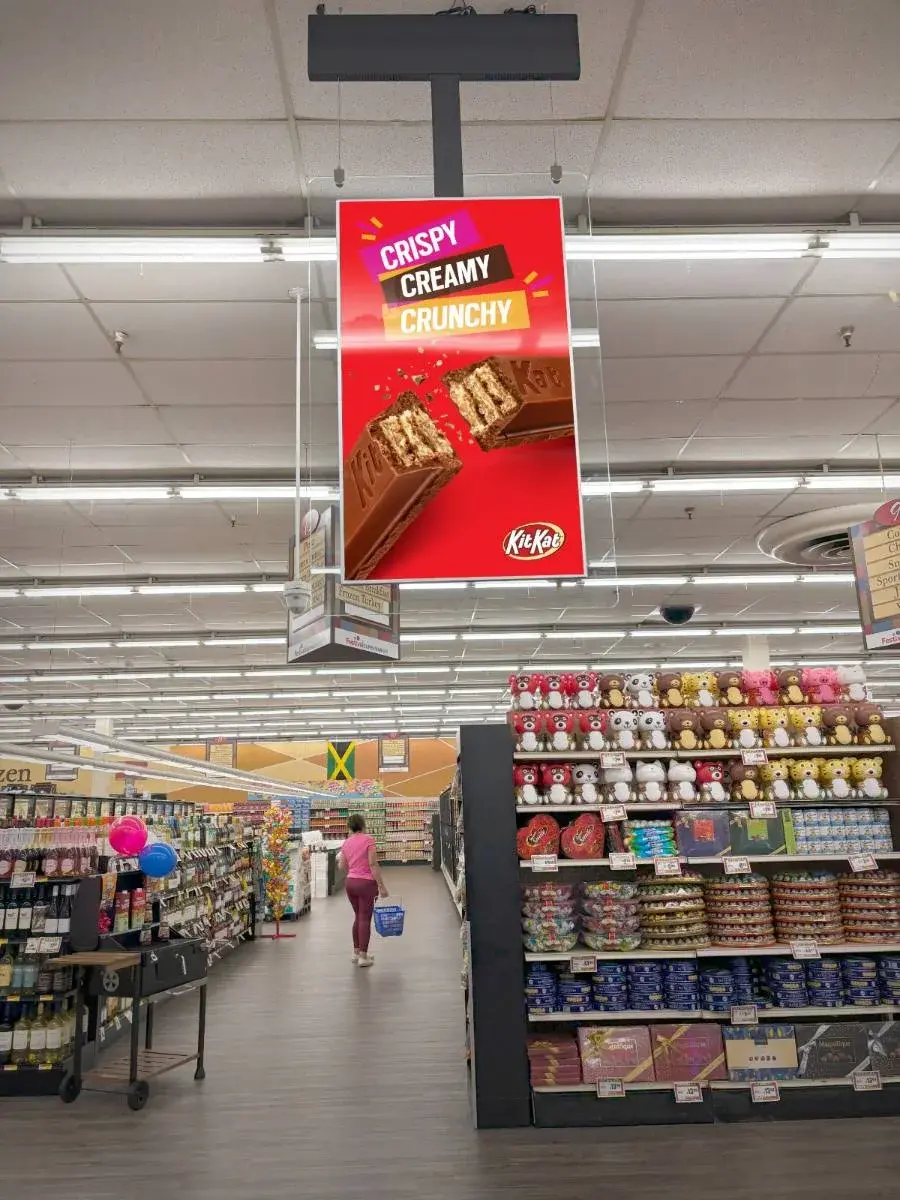
Get your brand in front of shoppers with Dolphin's self-serve advertising. Choose your locations, set your budget, and put your message on screen.
Find your place.
Reach your people.
Explore screens near your customers, then take your selection into the campaign planner.
Finding your next audience.
The screen map is loading.
Screen selection, budget, payment, and creative upload continue in the Dolphin campaign planner.
In the store.
In the moment.
Connect with shoppers in the places they visit, while your message is close to the purchase decision.
Quality locations
Reach shoppers in brand-safe, high-traffic retail environments, including the checkout queue.
An audience that returns
Connect with household decision-makers and repeat shoppers in their everyday retail destinations.
Stay connected to your campaign
Update your screen content and monitor your advertising through Dolphin's platform.
From idea to screen.
In four steps.
One self-serve flow, from choosing your audience to submitting your creative for approval.
Select locations
Search by city or ZIP code, then choose the screens where you want your ad to appear.
Set your budget
Choose your budget based on the number of screens and how often your ad plays.
Make payment
Set up your monthly subscription with a credit card in the campaign planner.
Upload your creative
Add your campaign artwork. Our team reviews and approves it before your ad goes live.
A few things
to know.
Answers to common questions about self-serve advertising with Dolphin.
Let's put your
brand on screen.
Ready to build your campaign? Start with the locations that matter to you.